
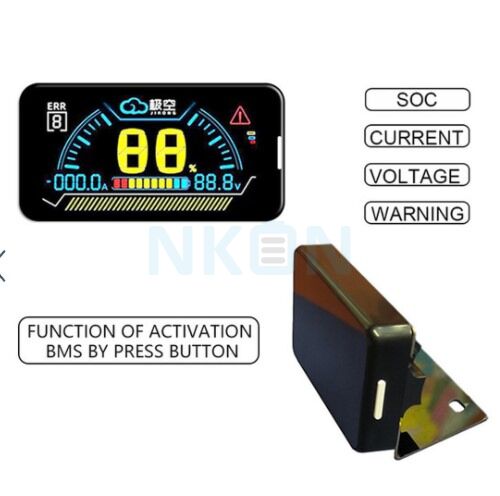
JK BMS - 2.5' LCD Monitor Screen
Product specifications
Product description
Extra information
Reviews
Documents
30-10-2026
€11.95
Shipping cost to Ukraine: €4.00 (1 item)
If your parcel is lost, damaged or destroyed, we’ll resend or refund. (More)(Less)
If Nova Poshta officially confirms that your parcel was lost, destroyed, or affected by another delivery issue, we will resolve it — either by reshipping your order or issuing a full refund.
The issue must be officially confirmed by Nova Poshta before we can take action.
Sometimes tracking says “Delivery is not possible” or “Not delivered according to manifest”. This is due to problems at Nova Poshta; it is a challenging time for them.
JK BMS - 2.5' LCD Monitor Screen
1. When BMS is off, press the touch button on the left side of the LCD screen once to turn on the BMS.
2. When BMS is on, the display will turn off the LCD backlight to reduce power consumption if no current output from BMS is detected for 10 seconds.
3. When BMS is on, if the display doesn't display the content, press the left button of the LCD screen once, and the LCD screen turns on the backlight.
4. When BMS is on, if the monitor is displaying the content, press the left button of the LCD screen once and turn off the backlight.
5. When BMS is on, long press the touch button on the left side of the LCD screen for 2 seconds and the BMS is off.
What's in the box: 2.5'' screen, cables, connectors, mounting bracket
1. When BMS is off, press the touch button on the left side of the LCD screen once to turn on the BMS.
2. When BMS is on, the display will turn off the LCD backlight to reduce power consumption if no current output from BMS is detected for 10 seconds.
3. When BMS is on, if the display doesn't display the content, press the left button of the LCD screen once, and the LCD screen turns on the backlight.
4. When BMS is on, if the monitor is displaying the content, press the left button of the LCD screen once and turn off the backlight.
5. When BMS is on, long press the touch button on the left side of the LCD screen for 2 seconds and the BMS is off.
What's in the box: 2.5'' screen, cables, connectors, mounting bracket
.
Write Your Own Review